
Your IDE finally
understands Odoo.
Completion, navigation and type checking that read your real Odoo source, across
Python, XML views, QWeb and Owl templates, JavaScript and SQL. Odoo-aware suggestions
are scoped to the addon you're in: its Odoo version and its depends list.
Available on JetBrains Marketplace · PyCharm 2025.1+ · Odoo 10+
Everywhere Odoo touches your code
None of this is a snippet library. Each feature reads the addon you have open and
its real _inherit chain.
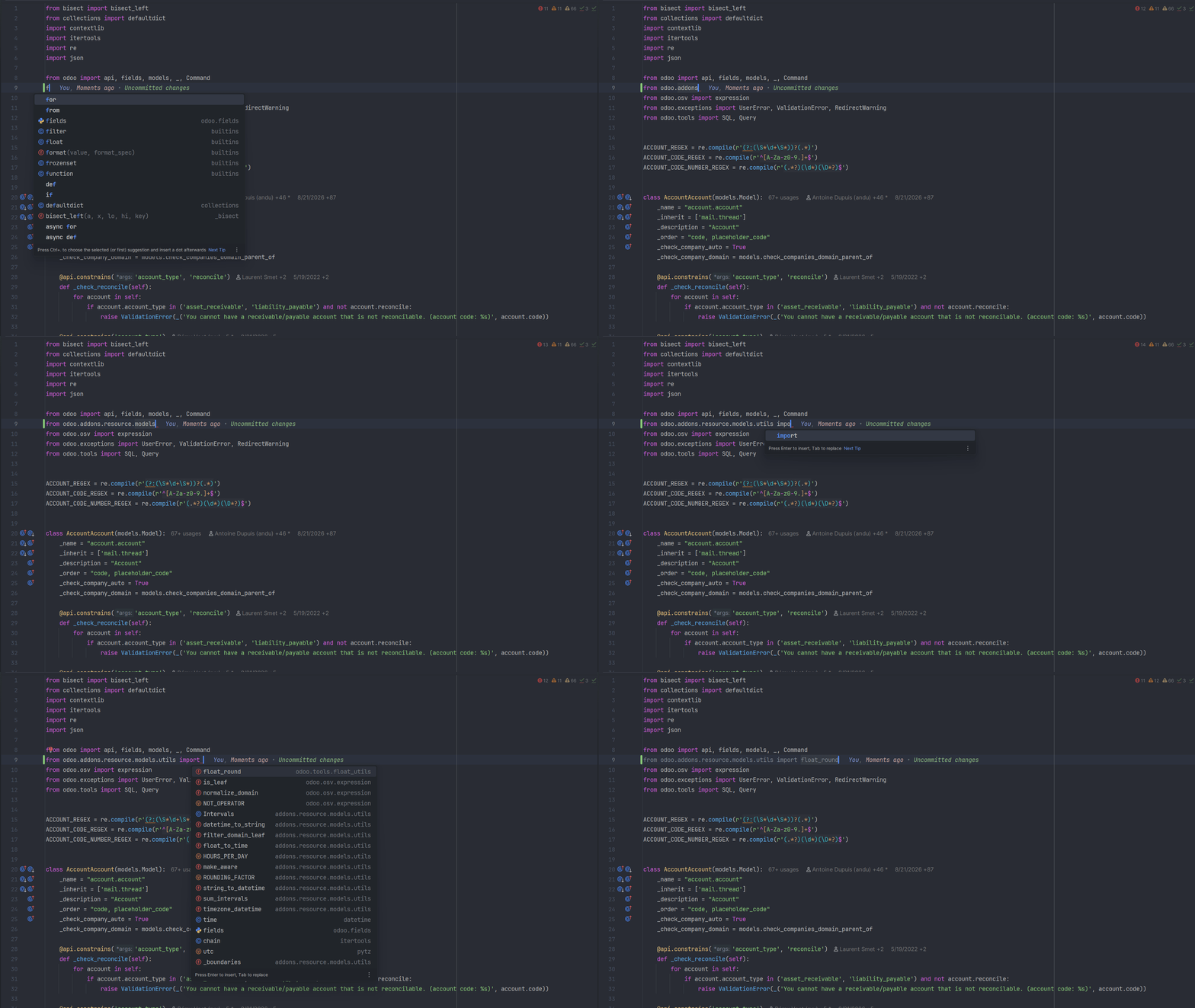
Imports that resolve to real files
odoo.addons is a namespace Odoo builds at runtime, not a real
package, so plain Python support can't follow an import into another addon.
Odoo DevKit locates the addon on disk and resolves the import, whether it
sits in your project, a dependency, or a sibling workspace module.
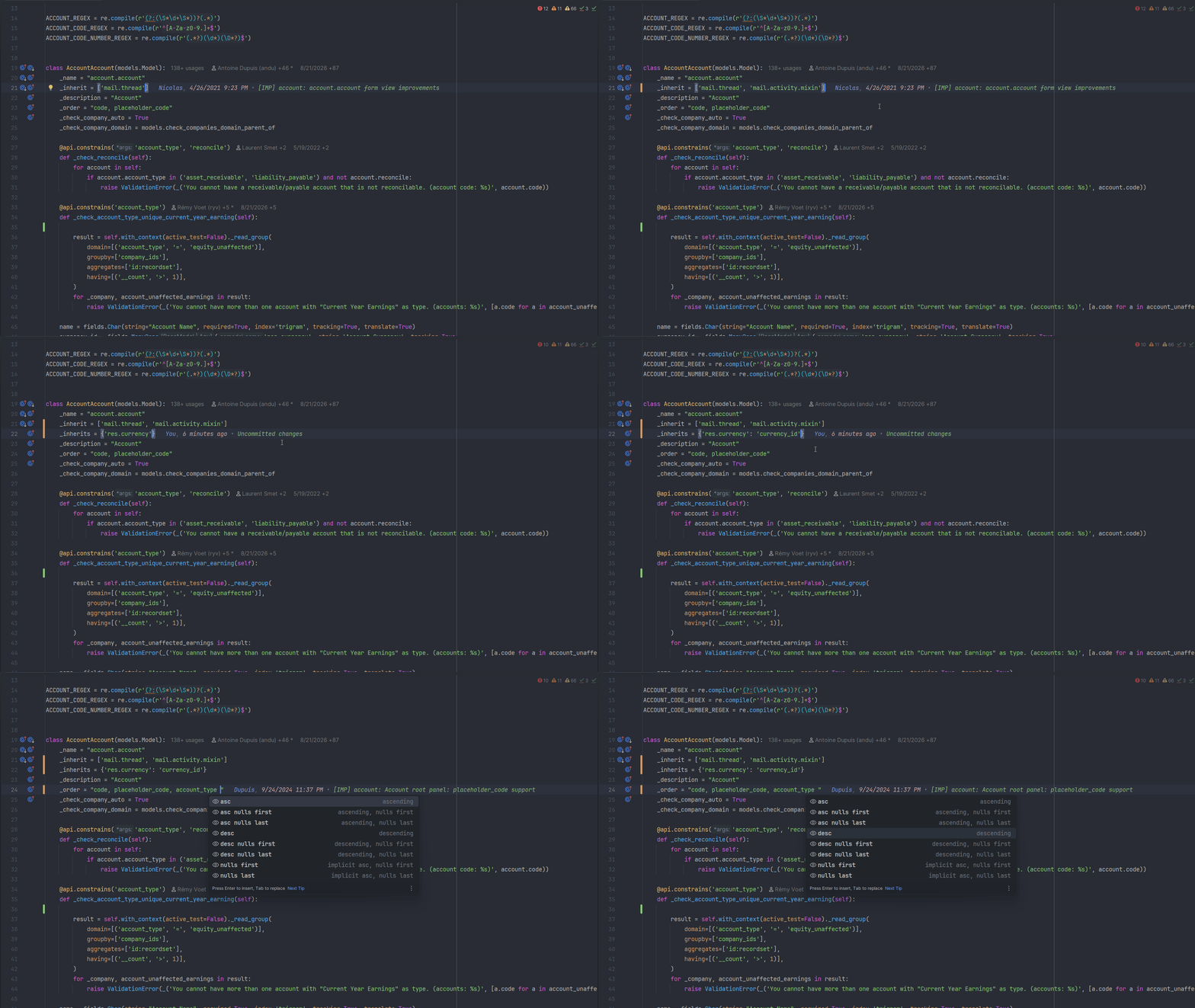
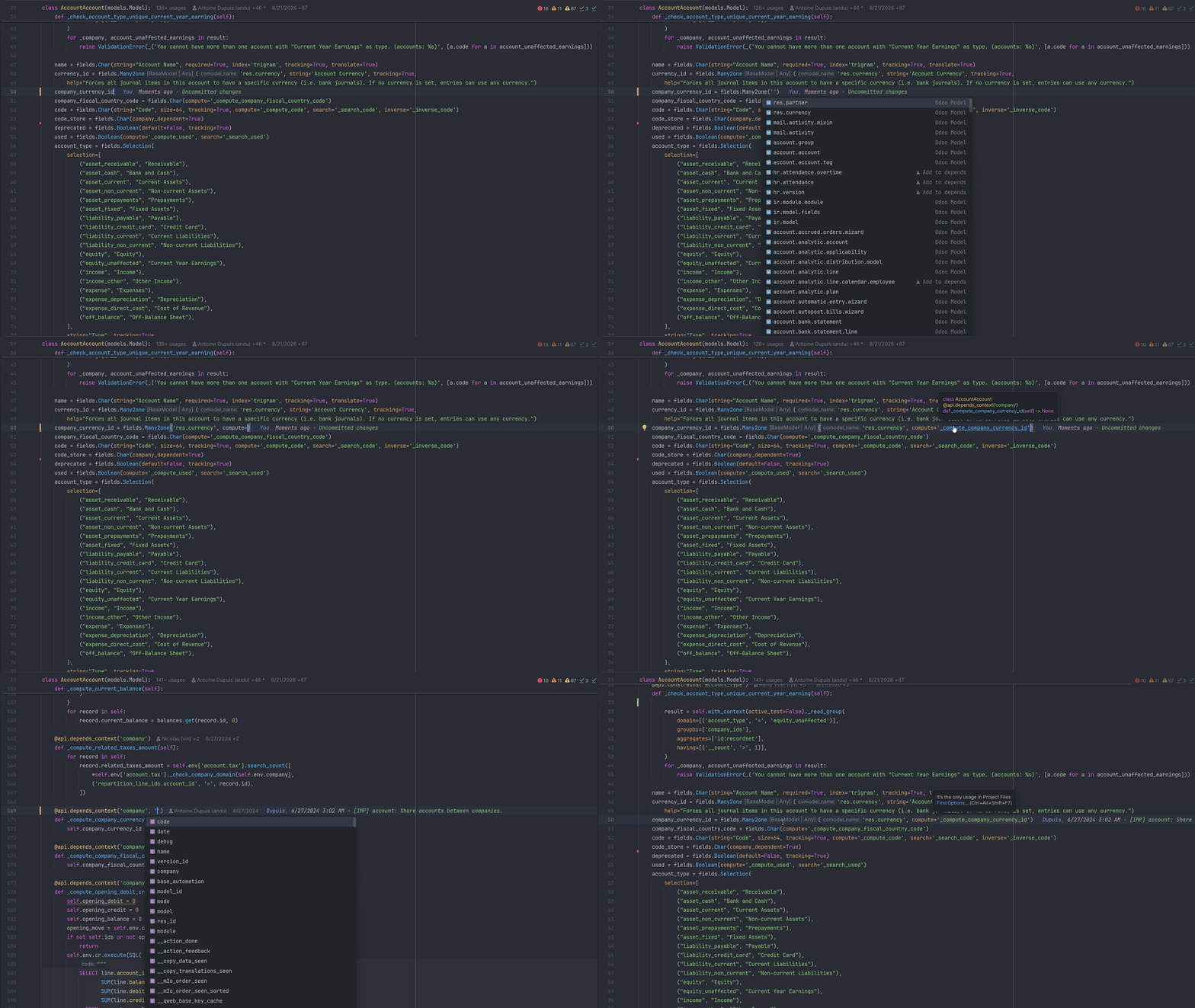
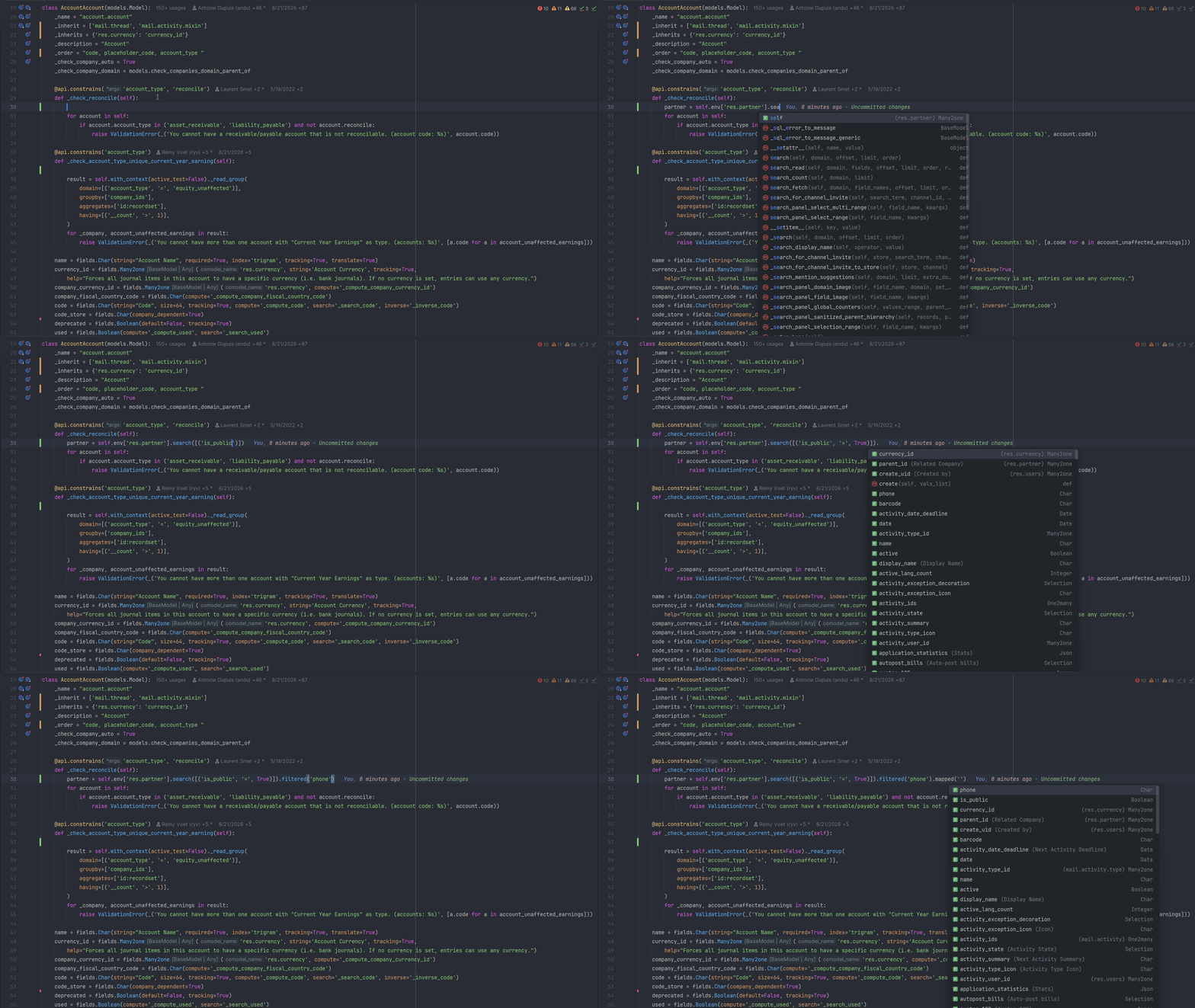
A dozen _inherit classes. One model.
Odoo builds one model out of _inherit classes scattered over a
dozen addons, and _inherits delegation follows different rules
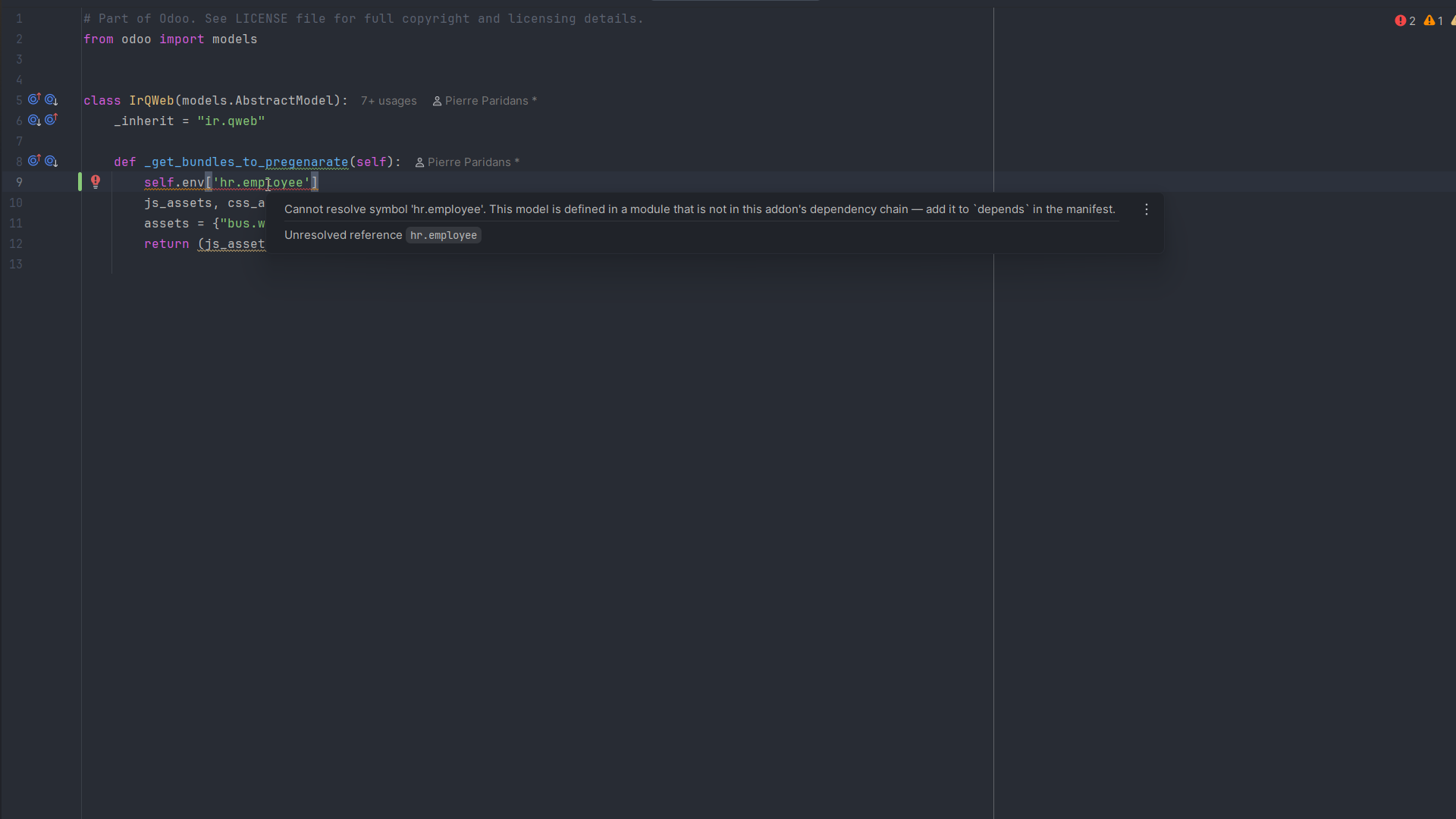
again. DevKit rebuilds that merge, so self.env[...] carries a
real, chainable type through ORM calls, and a field from outside your
depends is flagged before you run anything.
Beyond plain-text XML
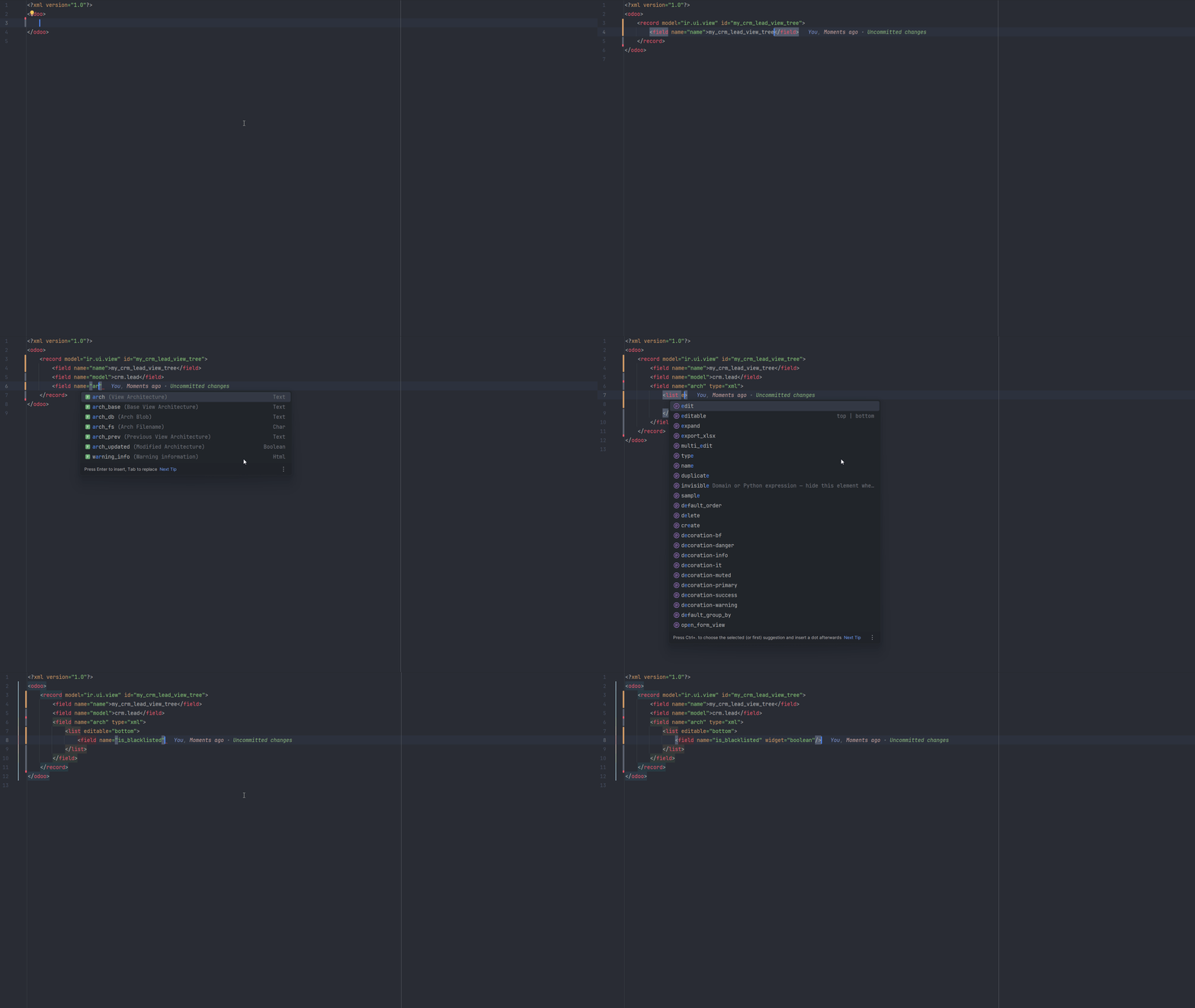
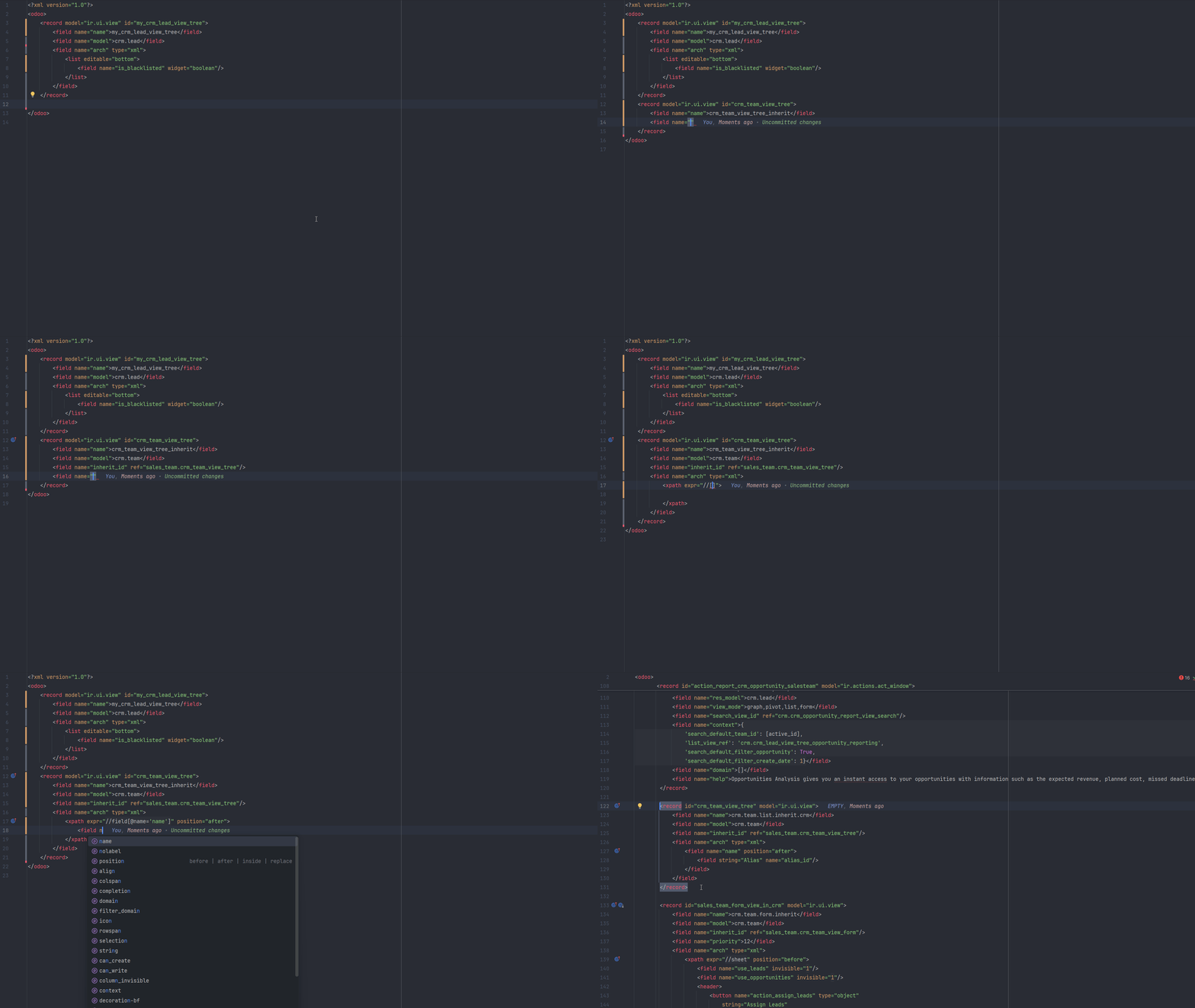
To generic XML tooling, a <field name=""> attribute or a
domain tuple is just text, so a typo may surface only when the view loads.
DevKit resolves the model behind each reference, follows
inherit_id and <xpath> through inherited views,
and adds gutter navigation to matched nodes in the parent view.
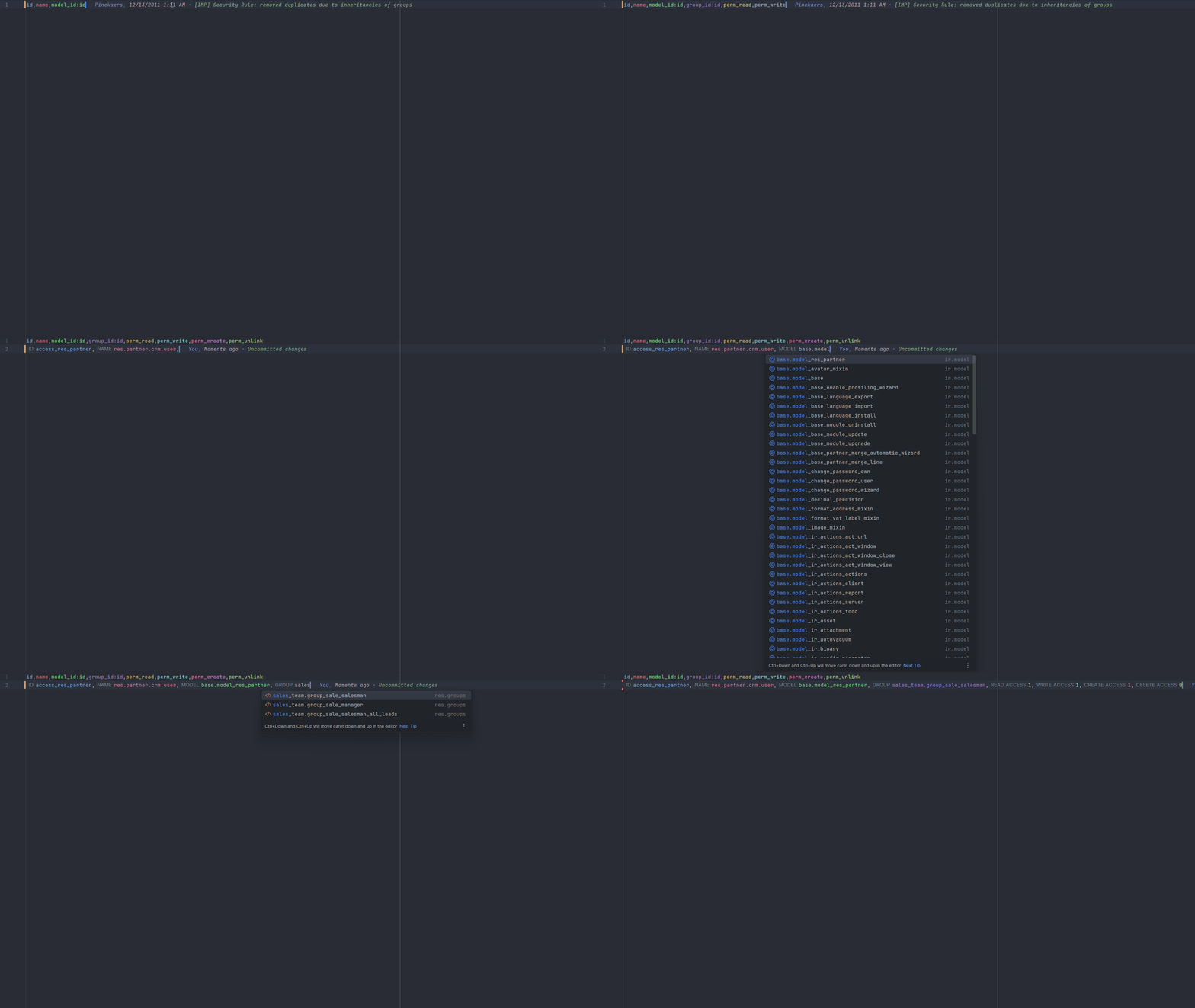
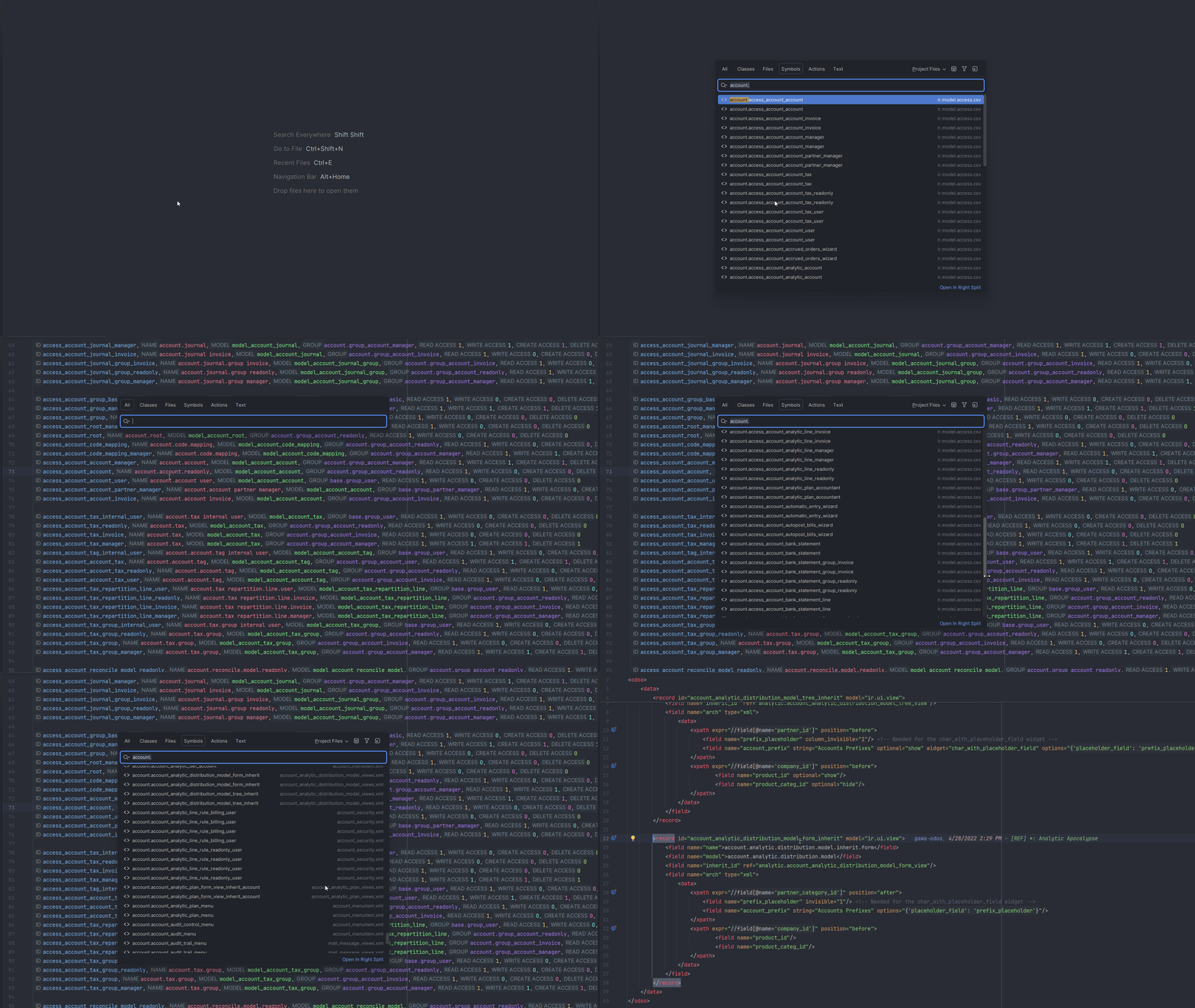
One external ID system, many data files
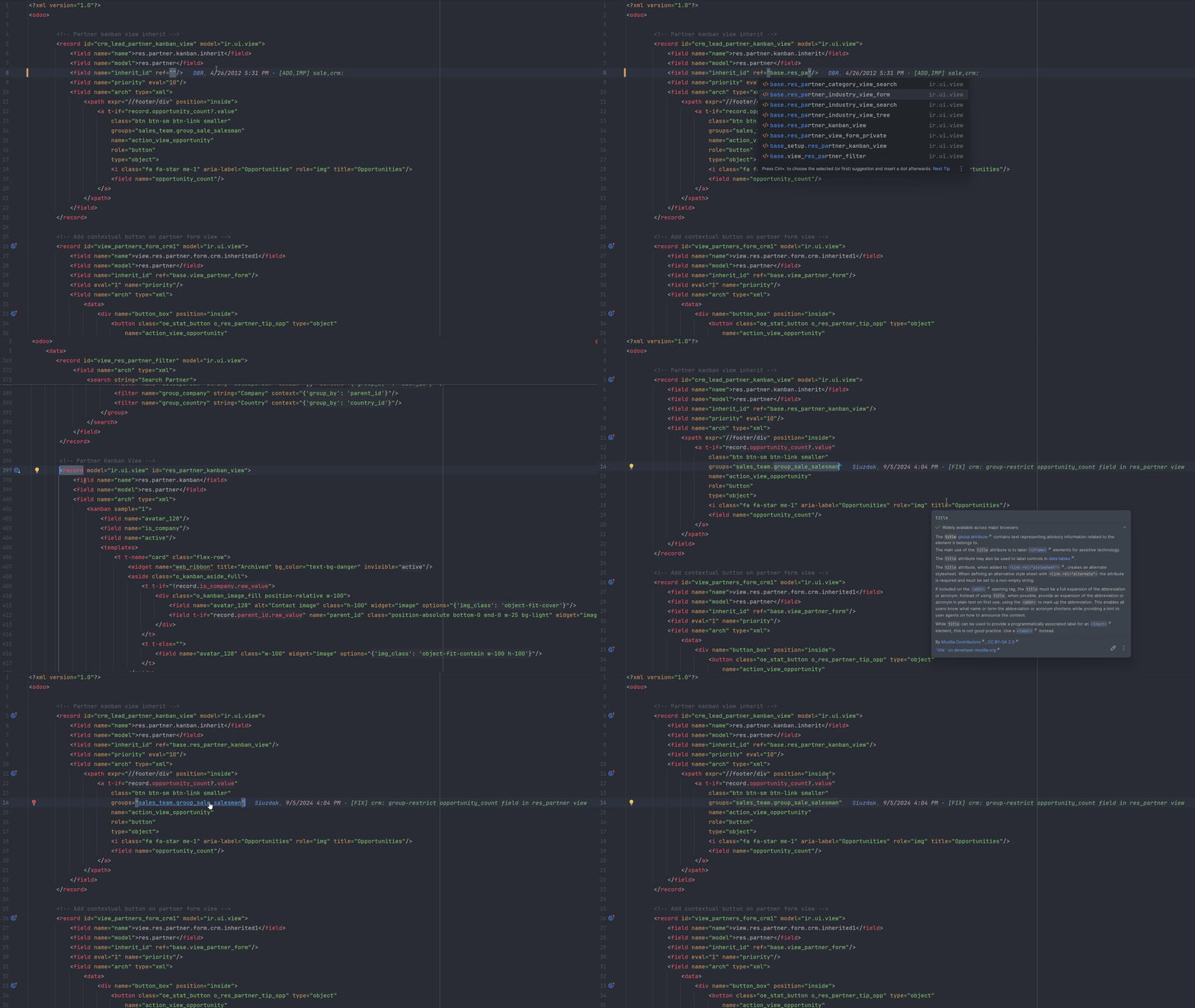
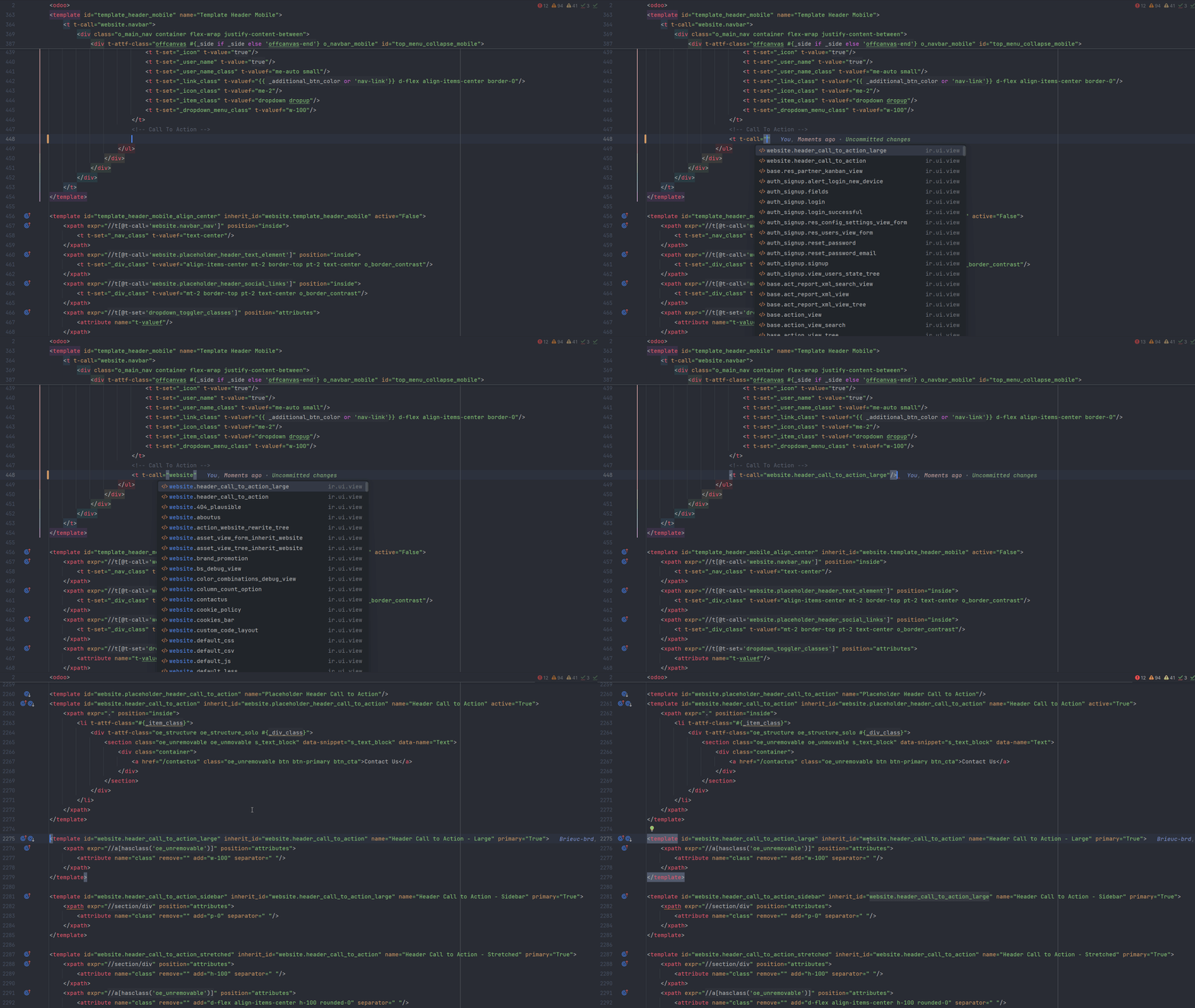
<record>, <template> and a CSV row all
declare the same kind of external id. DevKit indexes the three identically,
so Go to Symbol, Ctrl+click and Find Usages land on the declaration wherever
it lives.
Templates that know what's in scope
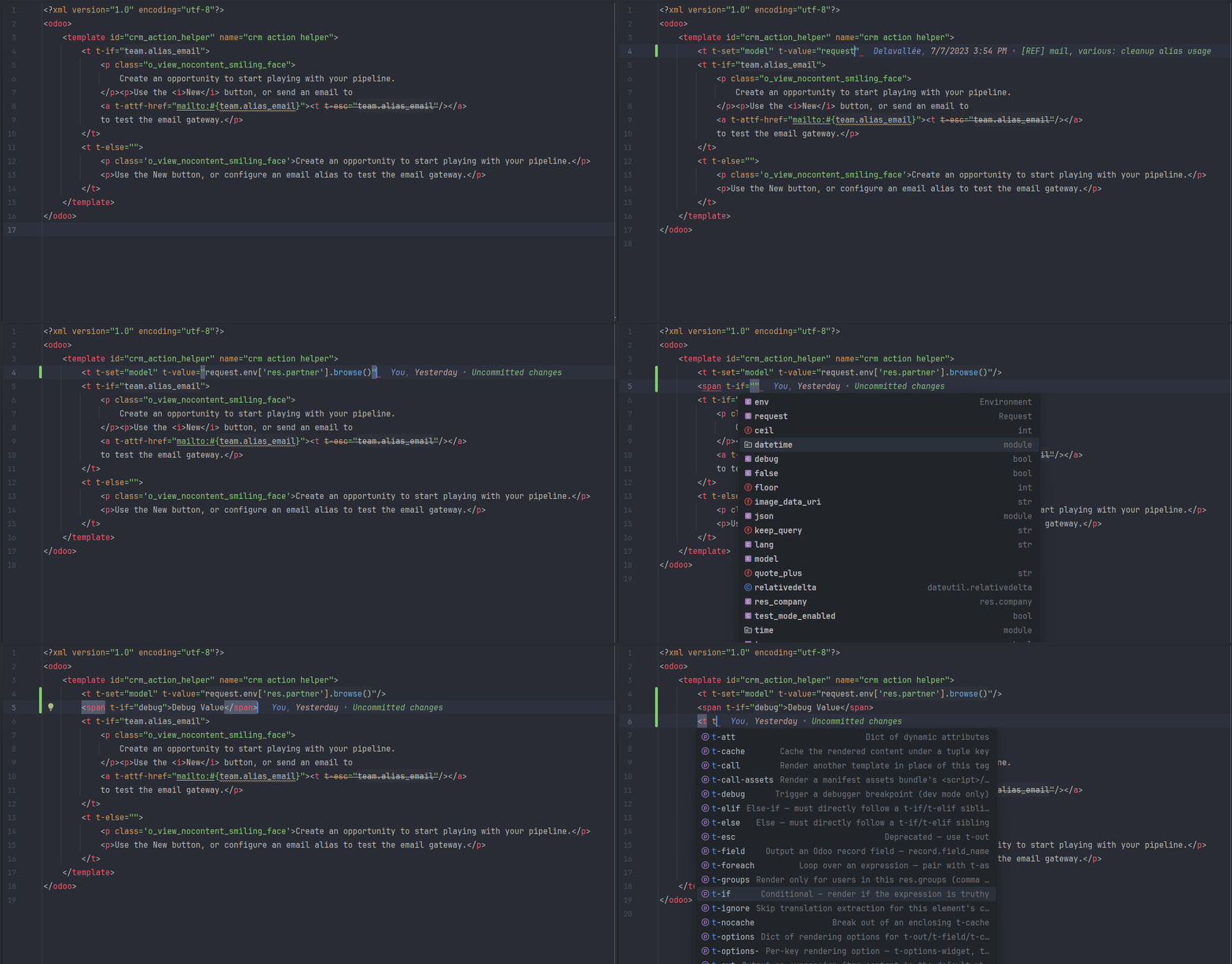
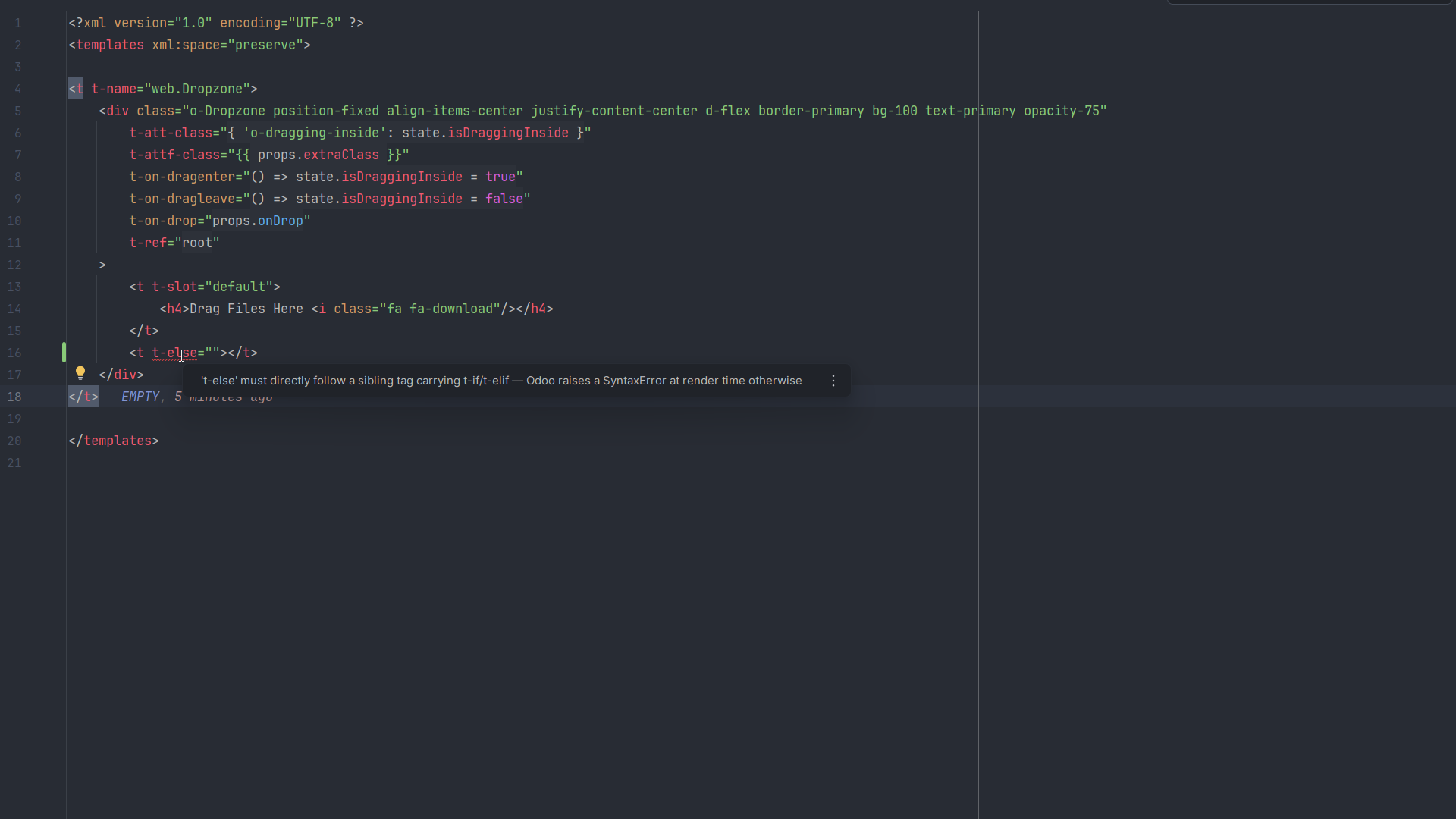
DevKit models the QWeb engine itself: every t-* directive, plus the
exact variables Odoo puts in scope for each one, from env and the
record's fields down to an earlier t-set. Completion offers only
what exists at render time, and Ctrl+click goes to where a variable was
declared.
The framework on top of JavaScript
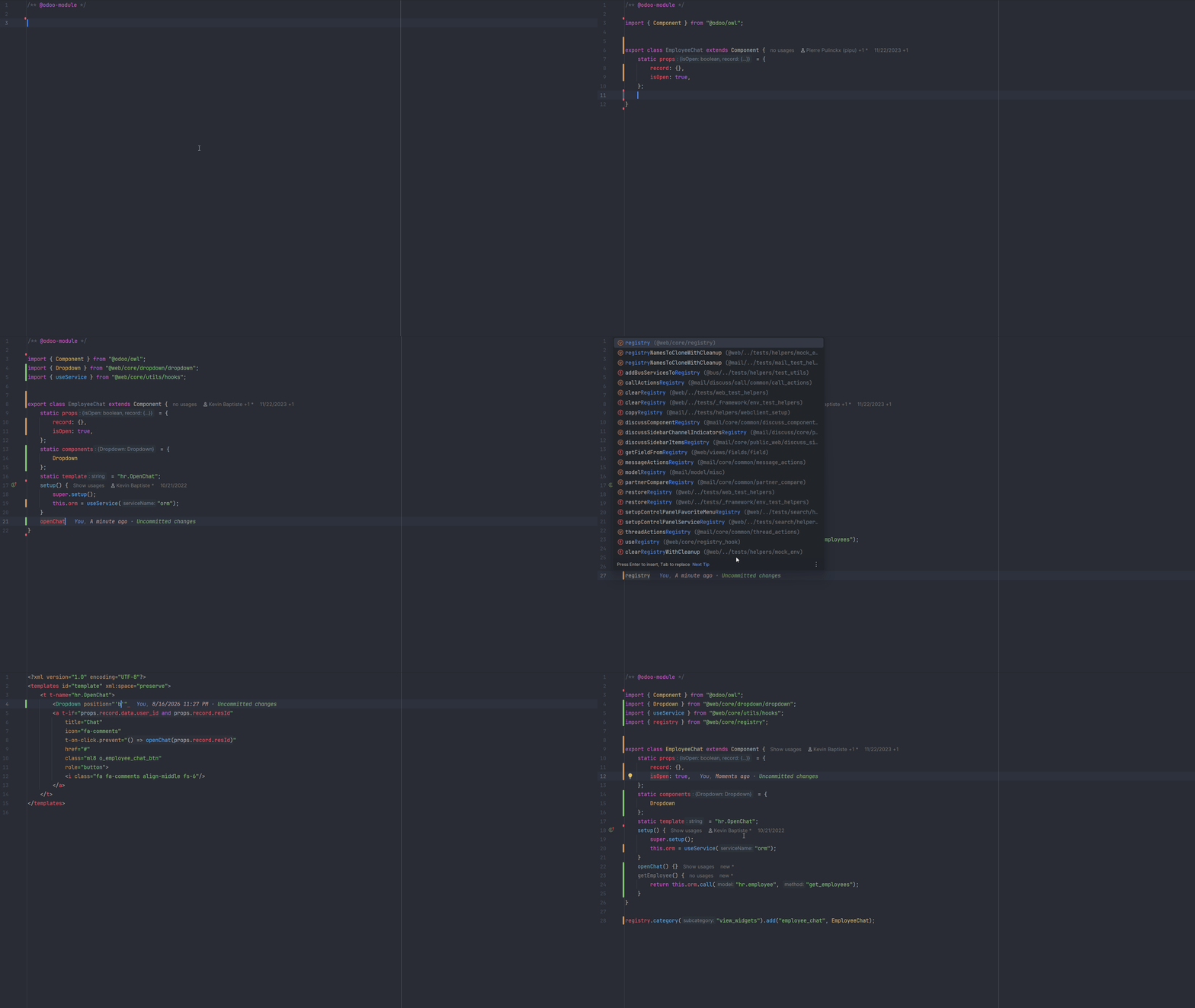
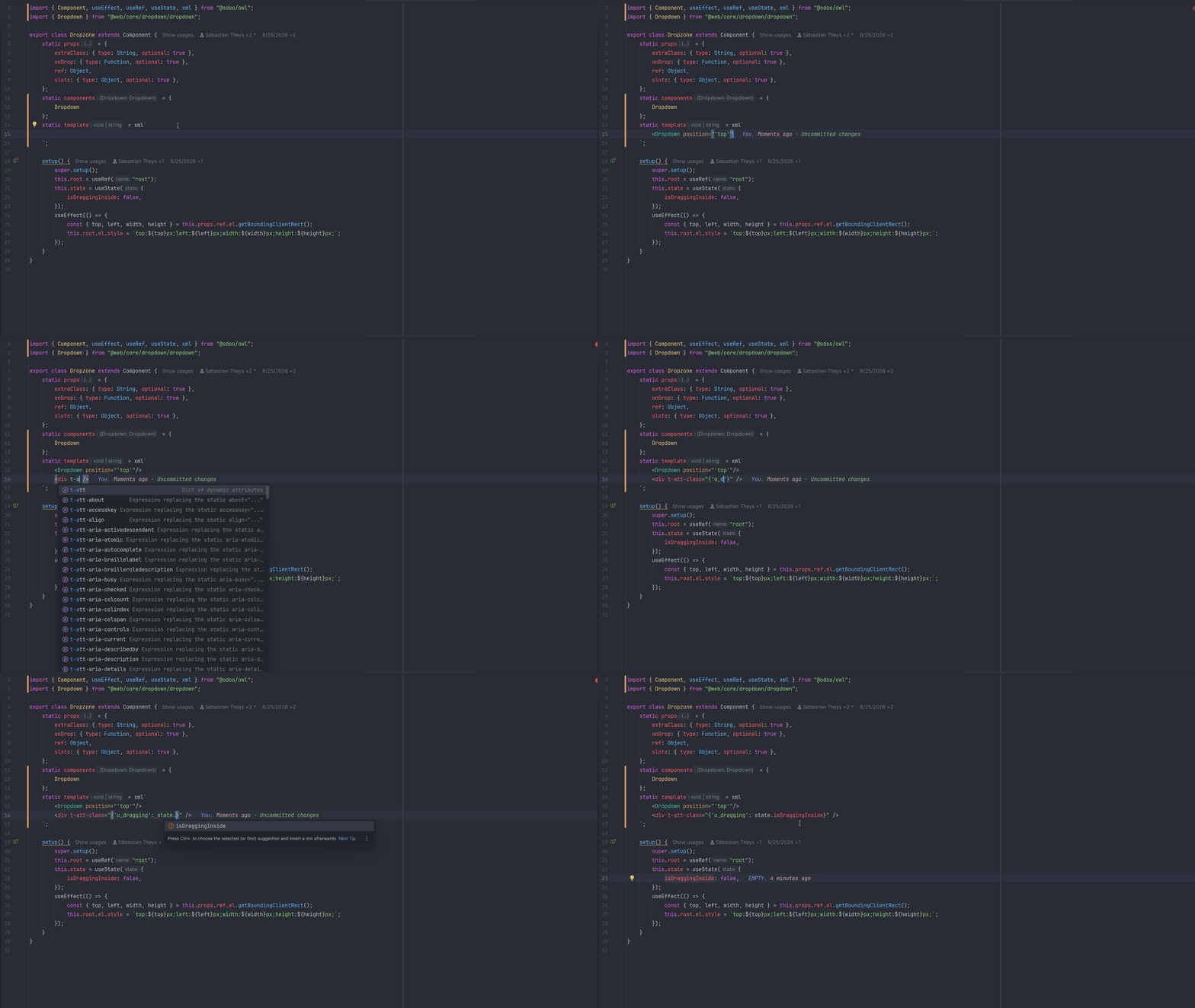
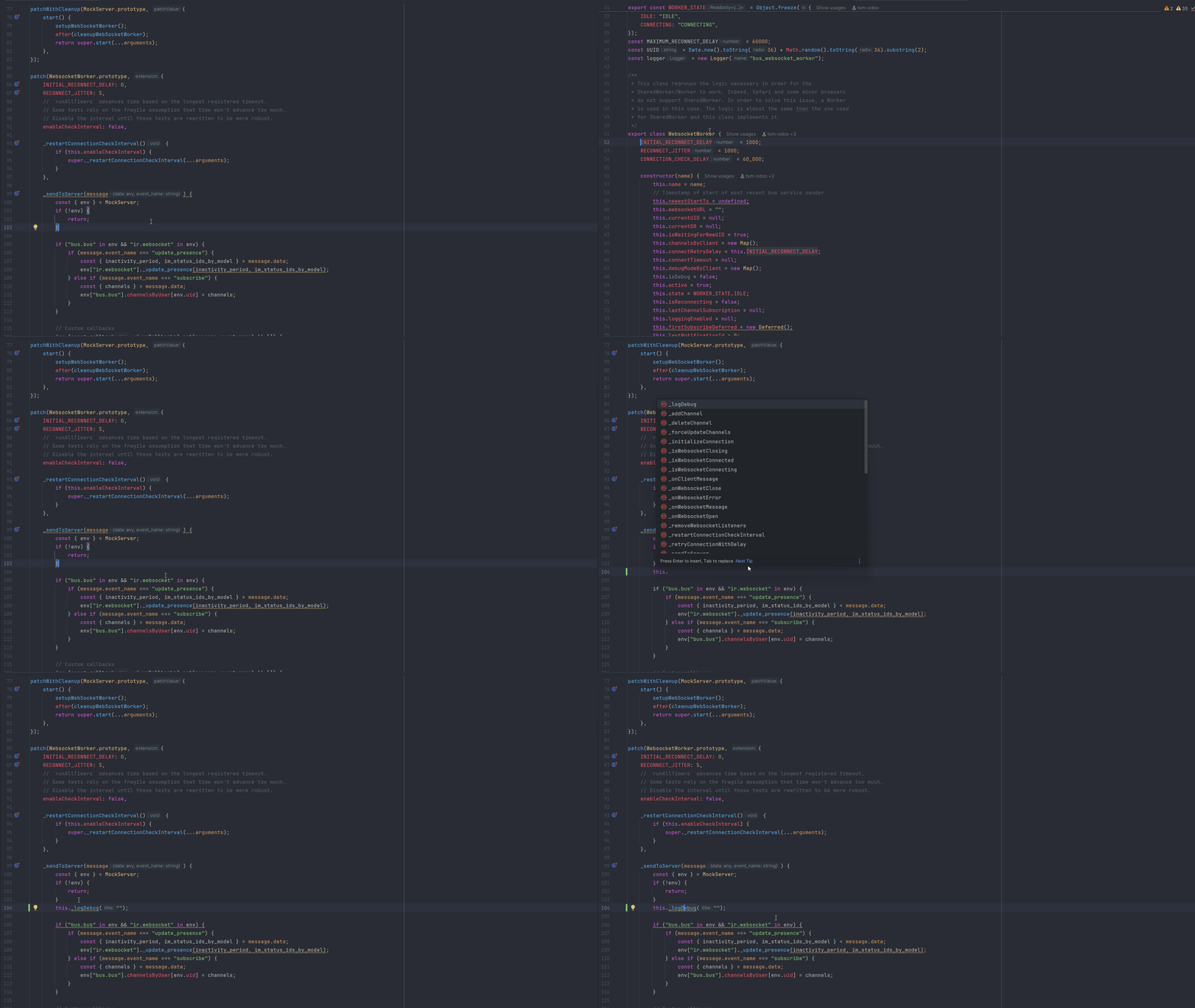
Odoo layers its own module system, Owl components, registries, services and hooks over plain JavaScript. DevKit models those Odoo-specific layers so completion and navigation can resolve registry keys, service names and patched class members.
Raw SQL, still Odoo-aware
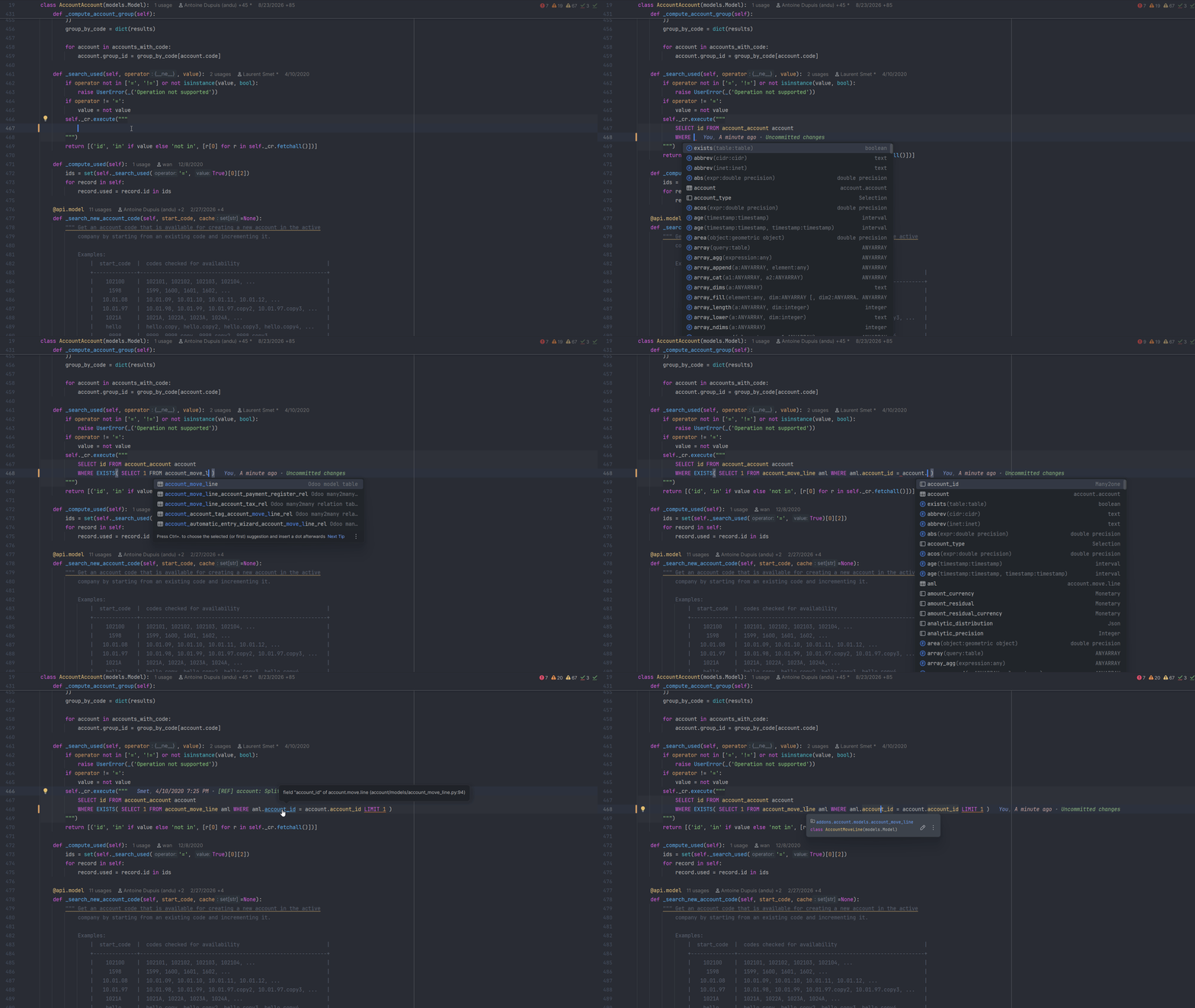
SQL inside Odoo cursor calls still belongs to your model layer. DevKit injects PostgreSQL support into the query, completes model-backed tables, relation tables and stored columns within the addon's dependency scope, and links SQL columns back to their Python field declarations.
Run Odoo, already configured
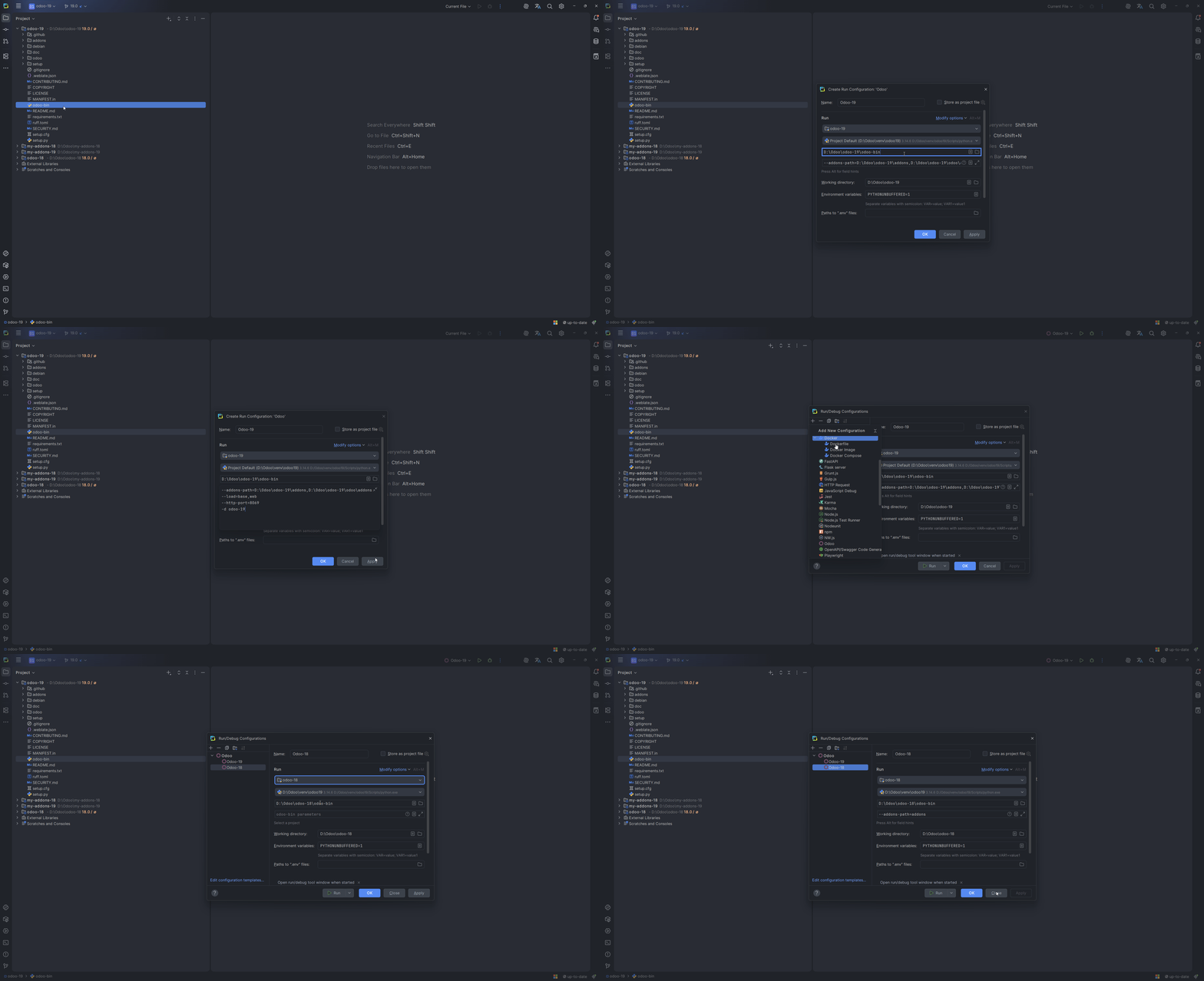
DevKit finds your Odoo launcher and creates a ready-to-run configuration with the right addon paths and defaults. Run or debug from your code or tests.
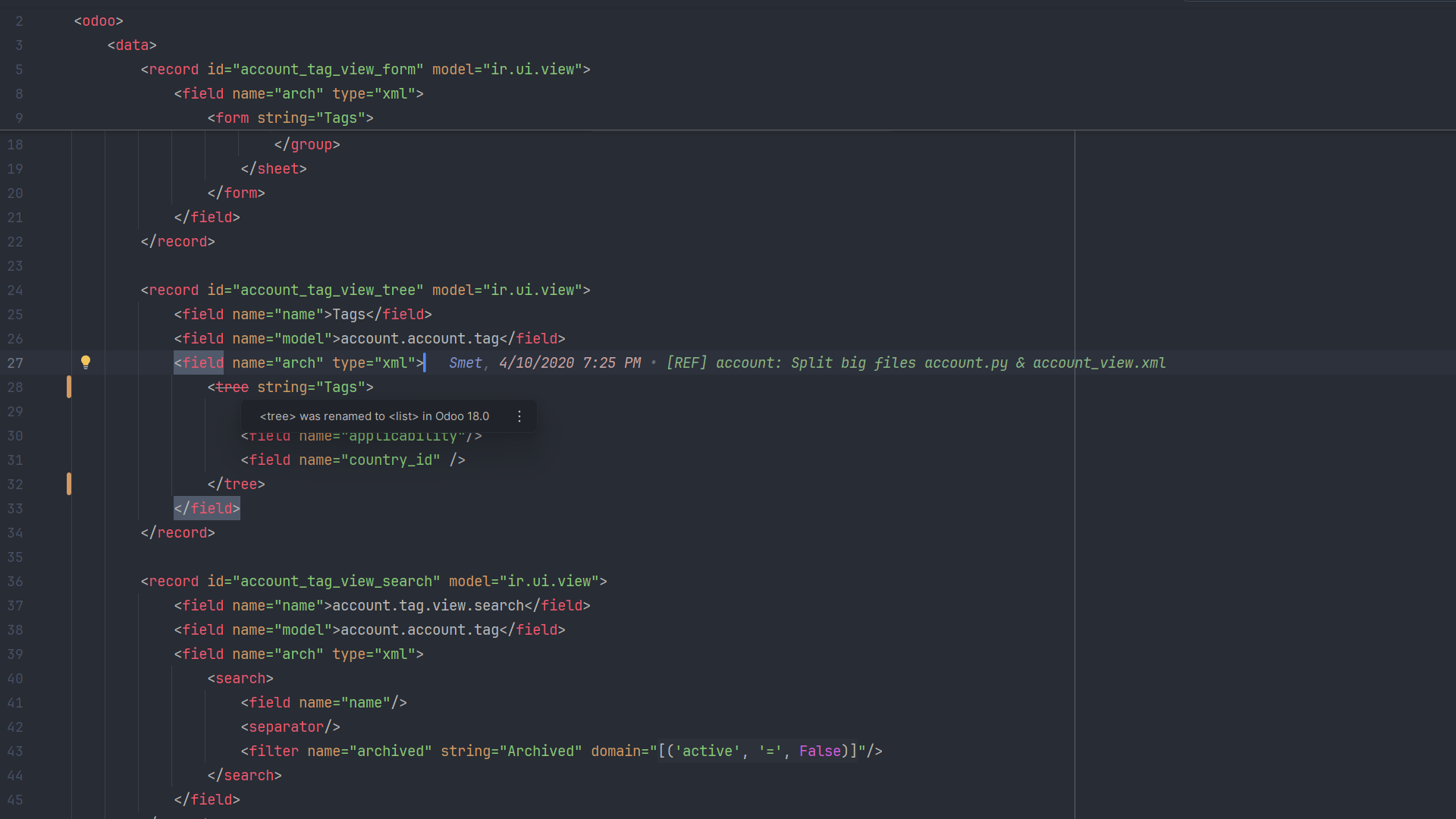
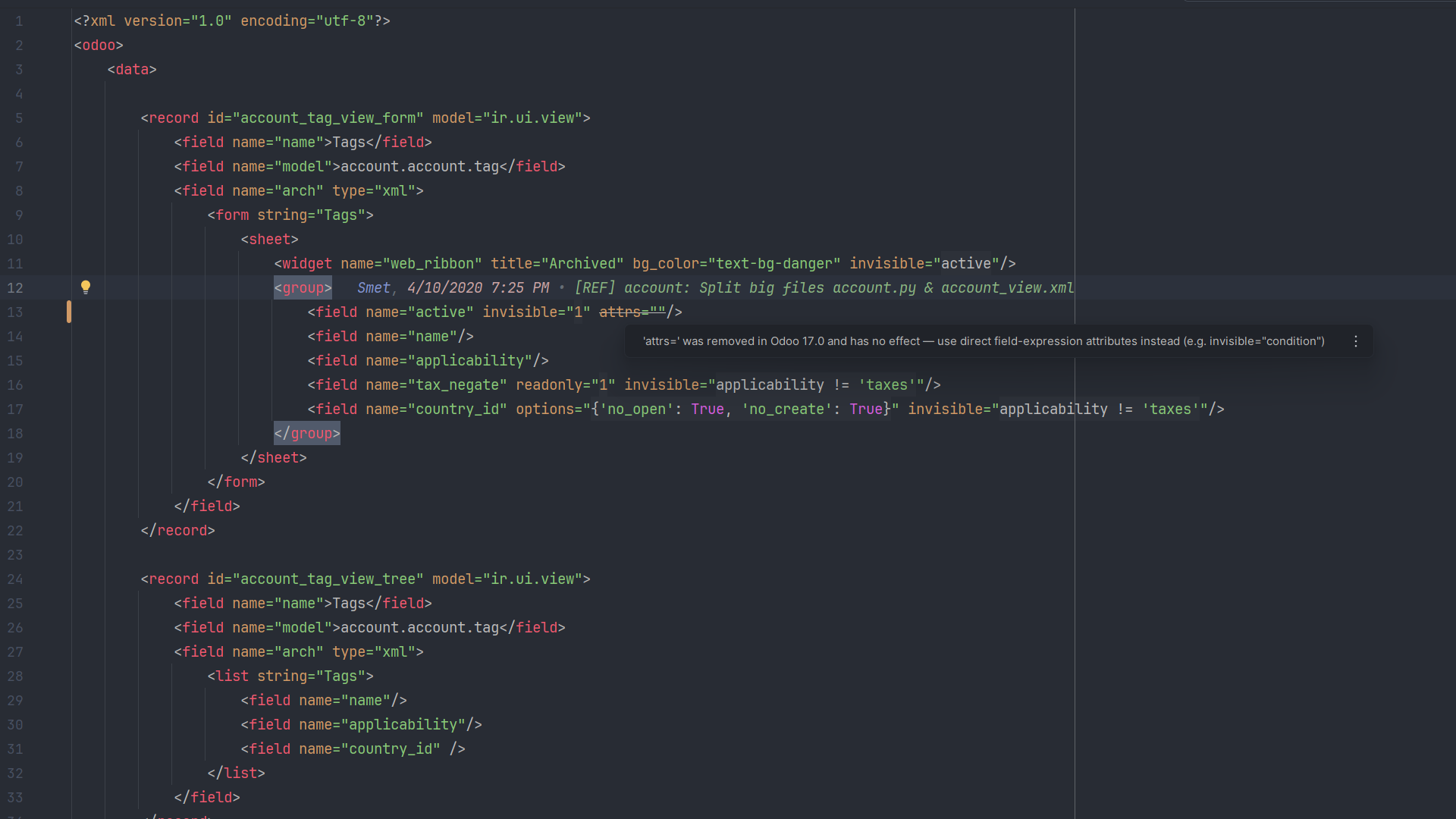
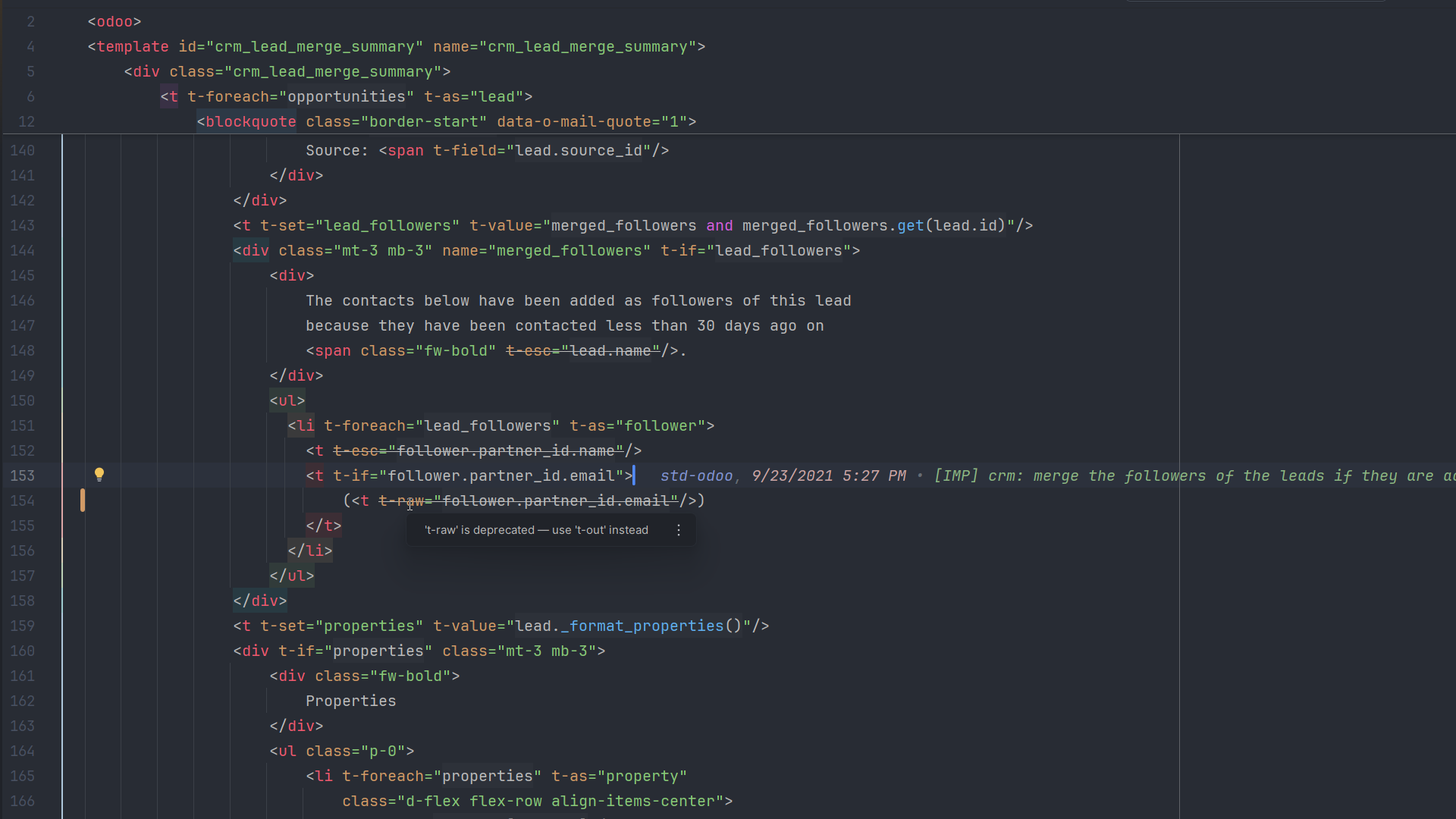
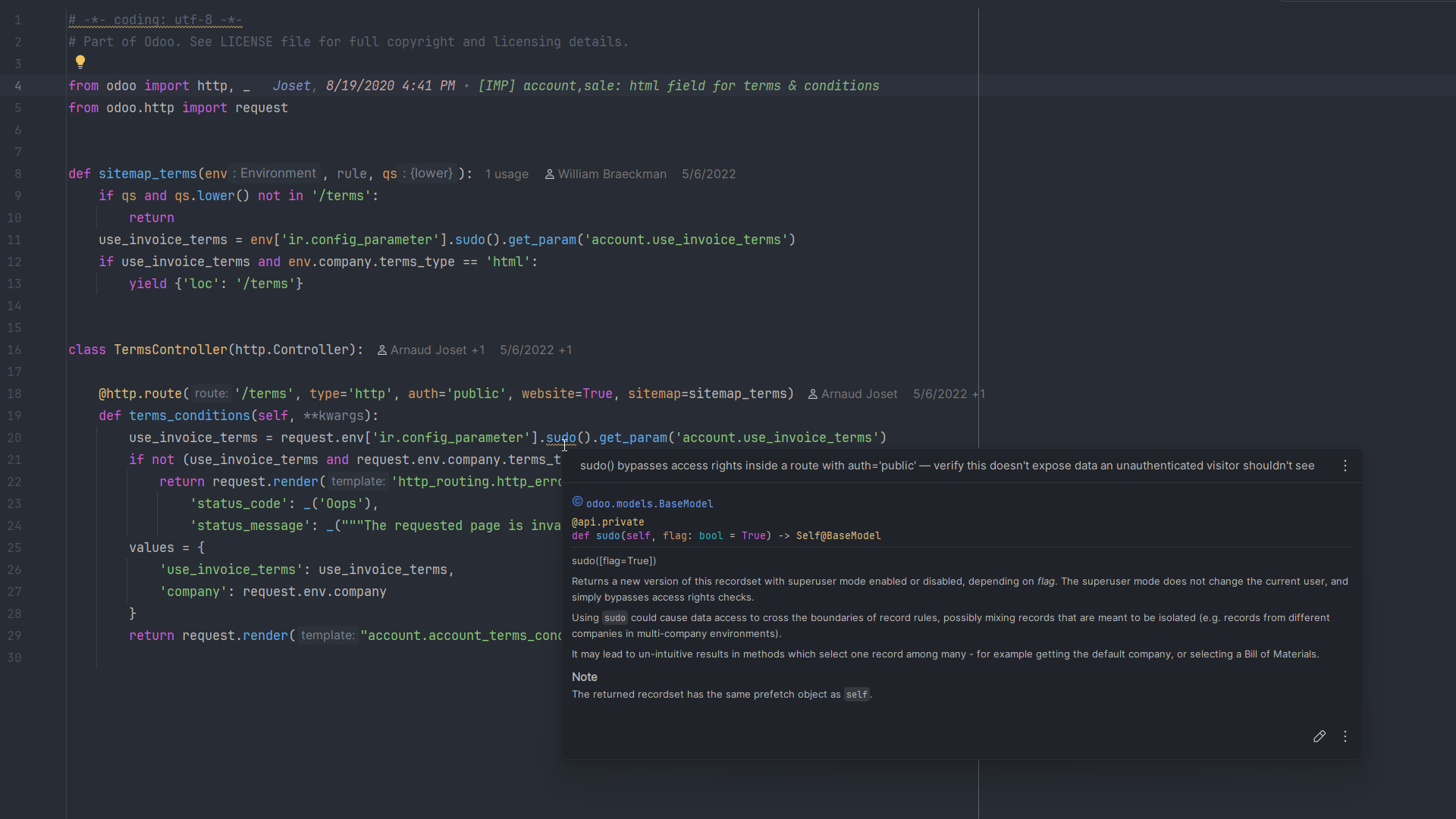
Inspections with Odoo context
Generic inspections see isolated Python or XML. DevKit sees the addon around it—its Odoo version, dependency graph, model metadata, templates and routes. That context powers relevant warnings across the stack, helping you catch compatibility, correctness and security problems earlier.
Built for large, multi-addon Odoo codebases
The parts of Odoo's ORM that break simpler tools, or make them slow, are the parts Odoo DevKit is designed around.
Multiple Odoo versions, kept separate
Several Odoo versions can sit in one project. Every lookup is scoped to the addon's own version and dependencies, so a v16 model never turns up in v18 completion.
_inherit vs _inherits, handled
correctly
SQL columns and ORM fields follow different rules for
_inherit and _inherits.
DevKit models both, instead of collapsing them into one mechanism.
Stays fast on heavily-extended models
Lookups go through a search index rather than re-reading every file on each keystroke, even for a model extended across dozens of addons.
Tested against Odoo source
Automated tests check behavior against Odoo's own source, version by version.
Available today on PyCharm
The current Marketplace release supports PyCharm 2025.1 or newer (build
251+), in either edition, and Odoo 10+. Requirements
for additional IDEs will be listed here as each integration ships.
| Capability | Community | Professional |
|---|---|---|
| Python & XML | Supported | Supported |
| JavaScript & Owl components | Supported with limitations | Supported |
| SQL & CSS completion | Not supported | Supported |
Works with your existing interpreter and project layout. * Community's own JavaScript support is thinner than Professional's, and DevKit's JavaScript and Owl features inherit that limit.
One plan, every current feature
No feature tiers to compare. In the current PyCharm release, SQL and CSS support also requires PyCharm Professional.
Full License
Priced and billed on JetBrains Marketplace, team plans included. See the listing for current pricing.
- Every feature on this page
- Updates for the license term
- 30-day free trial
Install from Settings → Plugins → Marketplace by searching for Odoo DevKit. Installation guide
Good to know
Which IDEs are supported?
PyCharm Community and Professional 2025.1 or newer (build 251+)
are supported today. SQL and CSS need Professional, with its bundled plugin
enabled. JavaScript and Owl work in both editions, within Community's own
more limited JavaScript support.
What about other IDEs?
PyCharm is the first supported IDE, not the limit of Odoo DevKit. Additional IDE integrations are on the roadmap and will be announced individually when they are ready.
Which Odoo versions are supported?
Odoo 10 and up. The active version is detected from your source and manifests, and several versions can share one workspace without clashing.
Does my code ever leave my machine?
Code analysis and indexing run locally inside your IDE. Odoo DevKit does not upload your source code. Your IDE or its marketplace may connect to its own services for licensing and product operation.
Is there a free trial?
Yes, 30 days through JetBrains Marketplace before you activate a license.
How do I get support or report a bug?
Email odonexussoft@gmail.com for support or bug reports. You can also review known reports on the GitHub issue tracker.